Captions in Assamese
Assamese captions, beautifully done.
Turn Assamese audio into designed captions with the Eastern Nagari script rendered accurately, ৰ and ৱ included.
Create in your browser. Start for free.

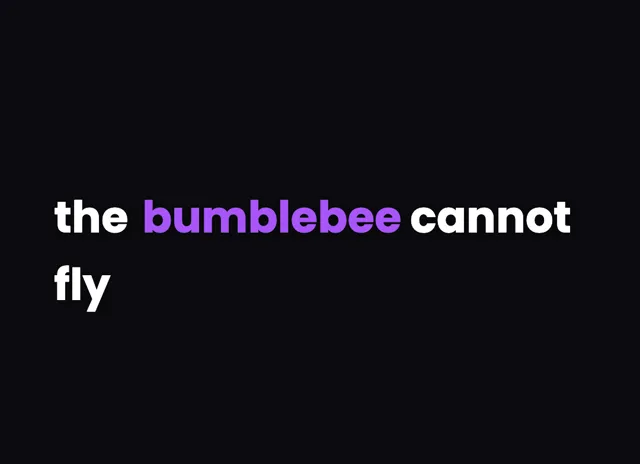
A style for your story
Curated fonts, color, and motion
From spoken words to styled captions
How to add Assamese captions
01 / Upload
Start with your video
Open the editor and upload the video you want to caption. Choose Assamese for transcription.
02 / Make it yours
Review and choose a style
Review the generated words, correct the details, and choose a caption style that fits your story.
03 / Share
Export your captioned video
Preview the timing and placement, then export your video with the captions included.
Made for your language
Assamese
অসমীয়া
For Instagram Reels, YouTube
Transcription and timing
Assamese speech is transcribed by cloud AI, returning word-level timestamps so each Assamese word lines up with the audio.
Getting the script right
Assamese uses the Eastern Nagari script and has its own letters ৰ and ৱ that set it apart from Bengali.
Beautiful by default
The right words. A look that's yours.
Keep it clean
Let the words do the talking.

Make a statement
Bold type for your biggest moments.
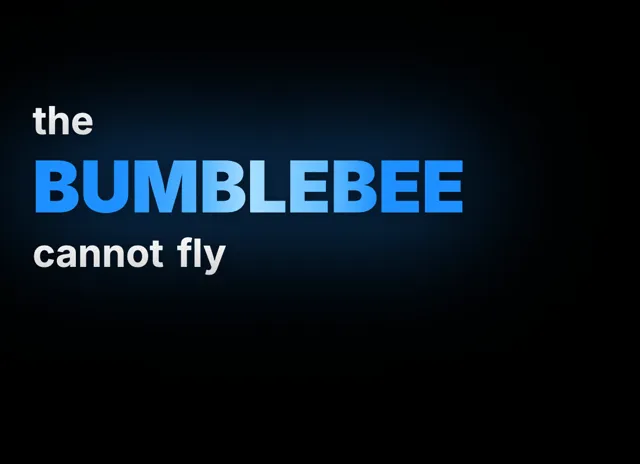
Give words presence
Emphasis that brings your story to life.
Style examples shown in English. Choose a font that supports your video's language.
Assamese deserves captions that know it is not Bengali
Assamese anchors the culture of the Northeast, and its creators are carving out real space on Reels and YouTube with regional music, comedy, and everyday storytelling. The problem is that many tools lump Assamese in with Bengali because the two share the Eastern Nagari script, and that shortcut produces wrong-looking text.
The difference is concrete. Assamese has its own letters, the ৰ and the ৱ, that Bengali does not use the same way, and swapping them changes words and meaning. A title card that renders অসমীয়া with Bengali substitutes instantly reads as sloppy to a native viewer. videocaptions.ai renders the Assamese script with those distinct letters intact, so your captions look correct to the audience that actually knows the difference.
For regional creators who grow by trust and authenticity, that accuracy is not a nice-to-have. On-screen text that respects the script signals you know your own language, and that is what keeps local viewers coming back.
How your Assamese audio becomes timed captions
The workflow lives in the browser. You upload audio or video, and only the audio leaves your device for transcription before being deleted. Cloud AI transcribes your Assamese and returns word-level timestamps, so every word appears right as it is said.
Everyday Assamese speech mixes in English words and sometimes Hindi, particularly in vlogs, reactions, and interviews. The transcription follows that blend rather than forcing a single register, which keeps captions faithful to how you actually talk on camera.
On the rendering side, the Eastern Nagari script is drawn with its stacked vowel signs and conjuncts placed correctly, and the Assamese-specific ৰ and ৱ are preserved rather than replaced with Bengali lookalikes. Because the same layout logic runs for preview and export, the captions you fine-tune while editing are exactly what appears in the exported MP4, with no last-minute substitutions or clipped marks.
Styling Assamese captions to look their best
Beautiful by default means you start from a polished place. Choose a template and the fonts, colors, and motion are already balanced for Assamese, so captions look designed without any manual tuning.
Use the animated caption effects to match the mood of each clip. Flash drops a full line for tight, punchy cuts, Build reveals words in time with your narration, Pop shows one word at a time for high-energy hooks, and Karaoke highlights the live word as you speak. Spotlight adds per-word emphasis so a punchline or a lyric hits at just the right moment.
Because Eastern Nagari stacks marks above and below the base line, keep a bit of extra line spacing so conjuncts and vowel signs stay clear on a phone screen. Export MP4 up to 4K, add SRT captions on a paid plan, and there is no watermark on any plan.
Does it render Assamese, not Bengali, correctly?
Yes. videocaptions.ai preserves the Assamese-specific letters ৰ and ৱ instead of swapping in Bengali lookalikes, and places conjuncts and vowel signs correctly. The script that appears in your exported MP4 matches what native Assamese viewers expect to see.
Can the transcription follow Assamese and English mixed together?
Yes. Everyday Assamese speech often includes English and some Hindi, especially in vlogs and interviews. The cloud AI transcription follows that natural code-switching rather than dropping unexpected words, so your captions stay true to how you actually speak.
How are the captions kept in sync?
Cloud AI transcribes your Assamese audio and returns word-level timestamps. Each word is anchored to the moment it is spoken, so captions never drift ahead of or fall behind your voice on screen.
Where should I publish Assamese captioned videos?
Instagram Reels and YouTube work best for reaching regional Assamese audiences who often scroll on mute. Clean, timed captions keep those viewers watching, and every template is styled to look designed without any manual adjustment on your part.
What does the free plan include?
You get 200 welcome credits at signup, a one-time bonus to explore the full editor. There is no watermark on any plan. Paid plans start at Creator for $7.99 a month and add SRT export and higher limits.
Your next video starts here
Start Creating Assamese Captions
Beautiful captions. Your words, your style.
Keep exploring