Captions in Hindi
Hindi captions, beautifully done.
Accurate Devanagari captions powered by cloud AI: transcribe, style, and export without leaving your browser.
Create in your browser. Start for free.

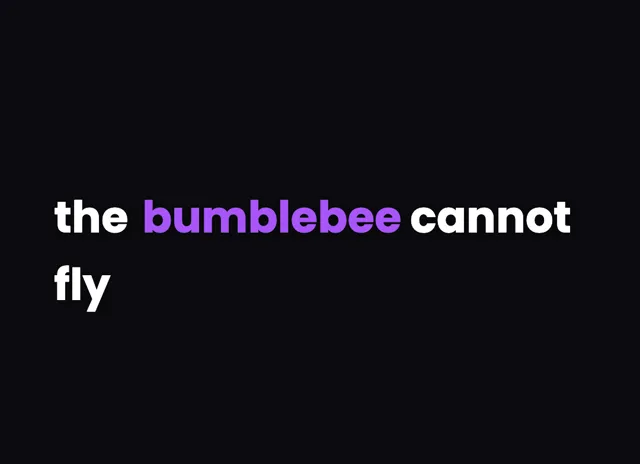
A style for your story
Curated fonts, color, and motion
From spoken words to styled captions
How to add Hindi captions
01 / Upload
Start with your video
Open the editor and upload the video you want to caption. Choose Hindi for transcription.
02 / Make it yours
Review and choose a style
Review the generated words, correct the details, and choose a caption style that fits your story.
03 / Share
Export your captioned video
Preview the timing and placement, then export your video with the captions included.
Made for your language
Hindi
हिन्दी
For Instagram Reels, YouTube, ShareChat
Transcription and timing
Cloud AI transcribes Hindi and recognizes Devanagari script natively, producing word-level timestamps for precise caption sync.
Getting the script right
Hindi is written in Devanagari, where matras and conjuncts must stay attached to their base letters to render correctly.
Beautiful by default
The right words. A look that's yours.
Keep it clean
Let the words do the talking.

Make a statement
Bold type for your biggest moments.
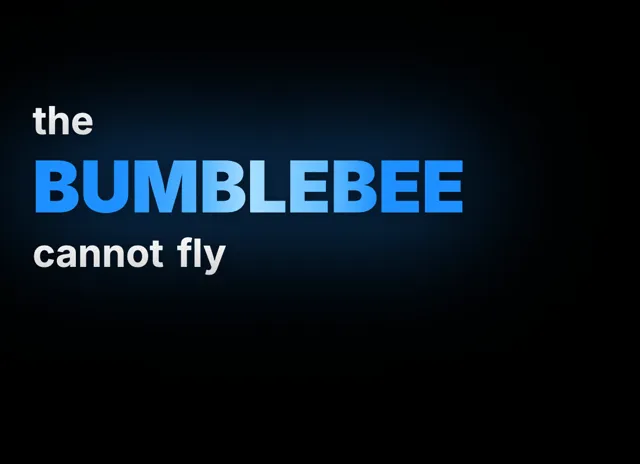
Give words presence
Emphasis that brings your story to life.
Style examples shown in English. Choose a font that supports your video's language.
Why Hindi Captions Matter for Indian Creators
India has over 600 million internet users, and Hindi is the most widely spoken language across the country. When you add Hindi captions to your videos, you make your content accessible to an enormous audience that prefers consuming media in their native language. Social platforms like Instagram Reels and YouTube prioritize content with captions because it increases watch time and engagement.
Hindi captions matter most for educational content, news commentary, and entertainment clips where viewers watch without sound in public spaces like trains and offices. Creators who add Hindi captions consistently see higher retention and more shares within Hindi-speaking communities across India and the global diaspora. With VideoCaptions.AI, those captions are beautiful by default: curated fonts, colors, and motion give your video a designed look before you change a single setting.
How the Cloud AI Handles Hindi and Devanagari
VideoCaptions.AI transcribes with cloud AI, built on a large multilingual dataset with substantial Hindi audio. It recognizes Devanagari script natively and produces word-level timestamps that sync captions precisely to spoken Hindi. Your video stays in your browser: only the audio track is uploaded for transcription and deleted afterward.
Devanagari is where many caption tools fail. Matras (vowel signs) and conjuncts have to stay attached to their base consonants, and a renderer that treats characters independently will break words like "क्या" or "स्कूल" apart. The text engine here keeps those clusters intact across every animation effect. For content that mixes in English words, the model detects the switch, and if you prefer a single-script look you can transliterate the Hindi to Roman for a Hinglish caption. Every word remains editable in the visual editor before you export.
Styling and Exporting Hindi Captions
After transcription, pick a caption behavior that fits your content. Karaoke highlighting lights up each word as it is spoken and suits explainer and commentary videos. Flash drops a bold phrase at once for hooks. Build reveals words one by one in the speaker's rhythm, and Pop shows a single word at a time for high-energy edits. Spotlight lets you emphasize a key word with its own size or color.
All animated caption effects render Devanagari correctly, preserving matras and character connections. Choose a font with strong Devanagari support, keep contrast high with a bold weight and a dark stroke, and position captions inside the safe area so platform UI does not cover them. Everything runs in the browser and exports to a clean MP4 up to 4K with no watermark on any plan, plus SRT export on paid plans. Free accounts start with 200 welcome credits at signup.
Can I generate Hindi captions automatically?
Yes. The cloud AI supports Hindi natively, recognizes Devanagari script, and produces word-level timestamps for precise caption synchronization. You upload your video, the audio is transcribed to Hindi, and you can edit any word in the visual editor before styling and exporting.
Can I style Hindi captions with animation effects?
All animated caption effects work with Hindi text, including fade, bounce, glitch, and karaoke highlighting. The rendering engine handles Devanagari correctly, preserving character connections and matras across every effect type so words never break apart during animation.
Can I show Hindi captions in Roman script instead of Devanagari?
Yes. After transcription you can transliterate the Devanagari text to Roman script for a Hinglish-style caption that many Reels and Shorts viewers read faster. The switch is automatic and every word stays editable, with word-level timing preserved throughout.
Is my Hindi audio uploaded to a server for transcription?
Your video file stays in your browser. Only the audio track is uploaded to the cloud AI service for transcription and it is deleted after processing. Editing and export run locally, which keeps strong privacy for your Hindi content while still giving fast results.
What video formats can I caption in Hindi?
You can upload MP4, WebM, MOV, and most common video formats. The tool extracts audio in the browser, transcribes it to Hindi, lets you edit and style the captions, then exports a clean MP4 with captions burned in at up to 4K resolution.
Your next video starts here
Start Creating Hindi Captions
Beautiful captions. Your words, your style.
Keep exploring